Change the Email Address of Your edjufy Account
To change the email address of your edjufy account, please proceed as follows:
-
Log in with your email address and password at https://my.edjufy.com.
-
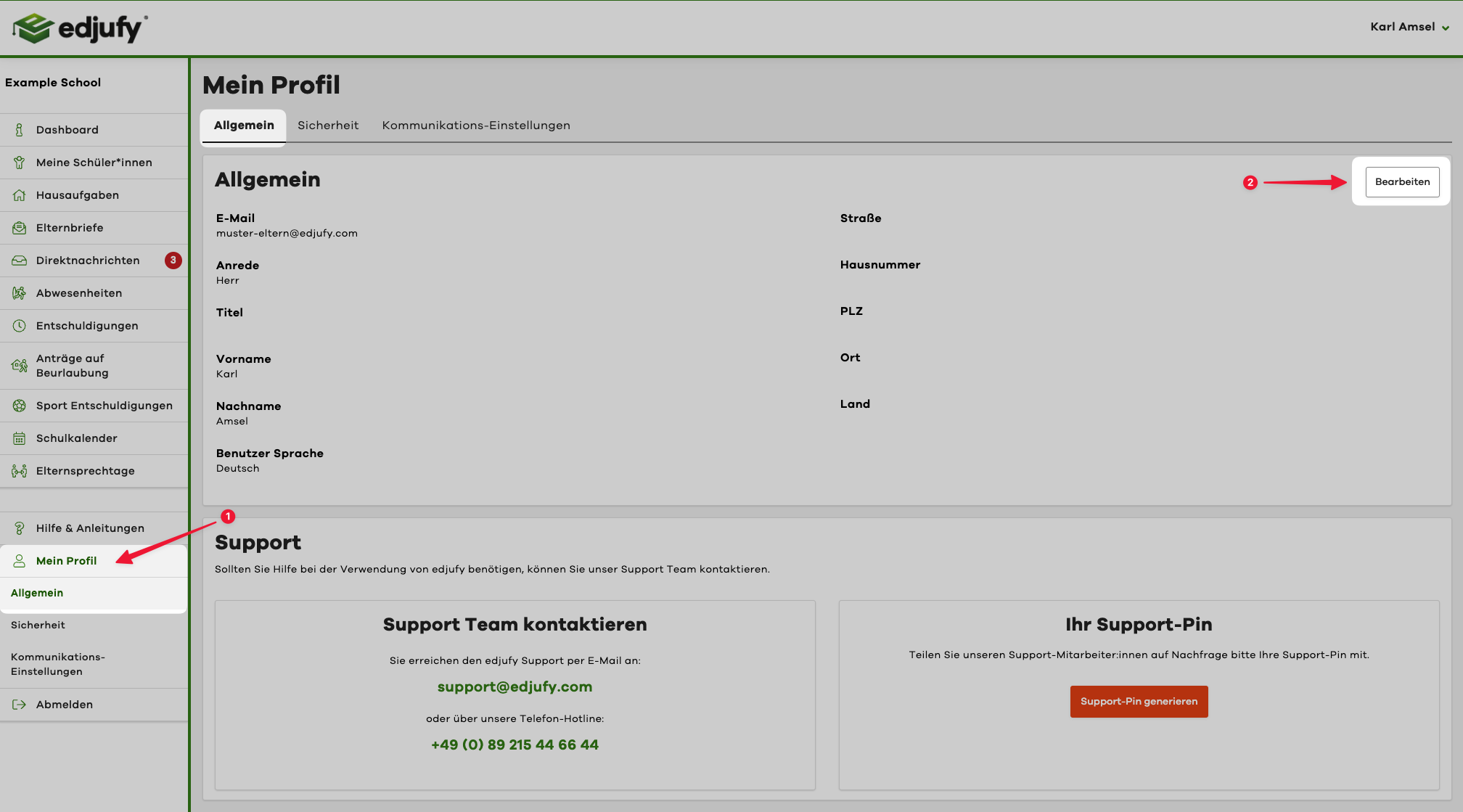
Select "My Profile" in the navigation (https://my.edjufy.com/user-profile/general).
-
Now click on the "Edit" button at the top right in the "General" tab.
-
Now enter the new email address in the "Email" field and then click "Save".
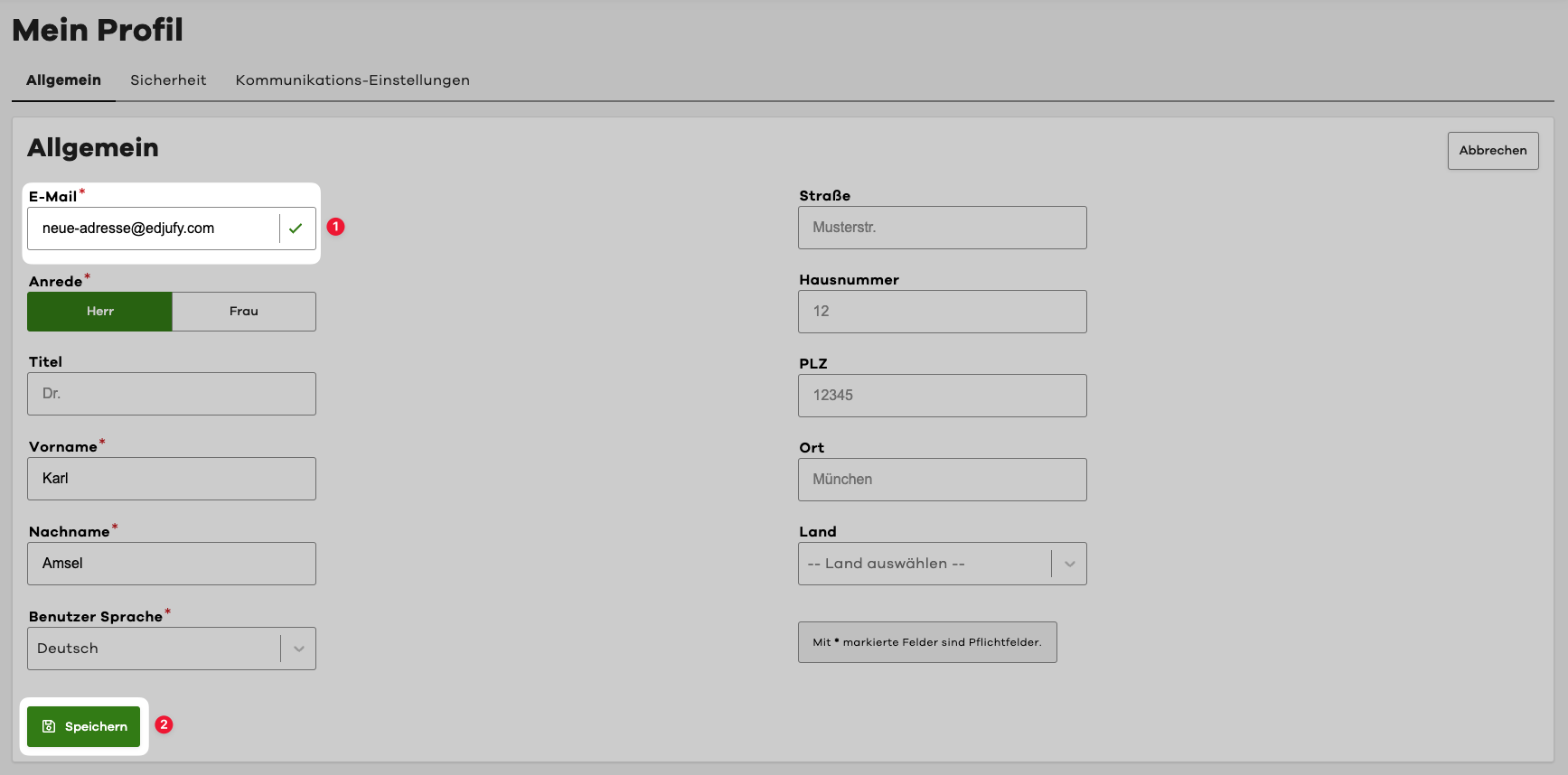
After saving, you will receive an email with a confirmation link to the new email address within a few minutes. Please click on this link to confirm the change of your email address.
You have now successfully changed your email address. From now on, log in to edjufy with the new email address.
If you need help changing your email address, please contact our support: edjufy Support